USB-C Earphone Sample Test Checklist: Mic, Remote and DAC Handshake Before Your Bulk Order
Run this USB-C earphone sample test checklist — DAC handshake, microphone, remote and cable — before you pay for a bulk order, so one working phone does not hide a thousand failing units.
A sample that plays music is not a sample that passed. That is the single most expensive lesson in USB-C earphone buying, and buyers learn it the same way every time: the sample arrives, they plug it into their own phone, music plays, they approve the order — and then the returns start. The microphone does not work on a customer's Samsung. The volume buttons do nothing on a Pixel. A batch of earphones that sounded fine in the office is silent on the phones your customers actually own.
The reason is simple, and it is the reason this checklist exists. A USB-C plug tells you nothing about the audio inside it. Two phones with identical USB-C sockets can handle audio in completely different ways, and a sample that works on one phone proves nothing about the other. The only way to know a bulk order will work is to test the sample the way your customers will use it — on more than one phone, through every function, before you pay for the batch.
This checklist takes about thirty minutes per sample and needs no special equipment: two or three different phones, a quiet room, and a notepad. Run it before you approve any USB-C earphone order, and keep the results with your order file. If a sample fails any step below, do not approve the order until the factory explains the failure in writing and sends a corrected sample.
1. Start With the DAC Handshake: Does the Phone Even Recognise the Earphones?
This is the first test because it is the one that kills the most orders. Before you test sound quality, test whether the phone and the earphones agree on how to talk to each other at all.
A wired Type-C earphone is either digital or analog. A digital model carries its own DAC chip — the digital-to-analog converter — inside the plug or the cable, and it needs the phone to send digital audio over USB-C. An analog model has no DAC chip and relies on the phone to supply analog audio through the port, which many modern phones no longer do. If the sample's design does not match what your customers' phones expect, you get silence, a "this accessory is not supported" message, or sound that keeps coming from the phone speaker instead of the earbuds.
Ask the factory in writing, before the sample ships, which type the sample is: digital with a built-in DAC chip, or analog. Then test it like this.
Plug the sample into your first phone and play a short, familiar audio clip at a comfortable volume. Note exactly what happens: sound in both earbuds, sound in one earbud, sound from the phone speaker, or nothing at all. Then unplug it, wait ten seconds, plug it in again, and play the same clip. A good sample is recognised the same way every time. If the phone recognises the earphones only sometimes, or only after two or three tries, that is a failure — your customers will not try three times, they will return the product.
Repeat the same plug-and-play test on every phone you can borrow: a Samsung Galaxy, a Google Pixel, and a USB-C iPhone if you can get one, plus any other brand your customers use. Keep a short written record for each phone: model, whether the earphones were recognised, and whether sound came through both earbuds. Our guide to checking phone compatibility before a bulk order explains how to build the target phone list for your market before you order, so the test covers the phones that actually matter to your customers.
If the sample works on one brand and fails on another, stop and ask the factory which phones it is designed for. A digital DAC model that works across Samsung, Pixel and USB-C iPhone is the safe choice for a general retail order. A model that only works on some phones can still be a good buy — but only if you sell it to customers who own those phones, and you say so clearly in your listing. What you must never do is approve a sample tested on one phone and hope it works on the rest.
For the background on why this happens, our DAC vs analog compatibility guide explains the two designs in full. You do not need to understand the electronics to run this checklist, but you do need to know which design you are buying.
2. Test Both Earbuds, Then Test Them Again After Ten Minutes
One-sided audio is the most common complaint in retail reviews of bulk-packaged Type-C earphones, and it is the easiest defect to miss in a quick sample check. A sample can play perfectly in both earbuds for the first minute and then lose one side once the cable warms up or the connector settles.
Play a track you know well — one with clear stereo separation, where instruments sit on the left and right — and listen to each earbud separately. Hold one earbud to your ear and cover the other with your hand, then switch. Both sides should be equally loud, equally clear, with no crackle, no static and no dropouts.
Then keep the music playing for ten minutes while you do the other checks in this list. Come back and listen to both sides again. If one side has gone quiet, started crackling, or cut out after a few seconds of playback, the sample has a connection problem — usually a loose wire at the plug or a weak solder joint inside the earbud. This is exactly the failure buyers report in reviews: earphones that worked on the first day, then lost audio after a few seconds of use. A sample that fails this ten-minute test will fail worse in a bulk batch, because the same weak joint exists in every unit made on that production line.
Test the cable while you listen. Bend the cable gently near the USB-C plug and near each earbud, and wiggle the plug slightly in the phone socket. Sound should stay steady. If it crackles, drops out, or switches to the phone speaker when you move the cable, the strain relief is not doing its job. Customers plug and unplug earphones dozens of times a day; a cable that fails a gentle bend test in your office will fail in your customers' pockets within a week.
3. Test the Microphone: The Function Buyers Forget and Customers Notice First
Most sample tests stop at music. Most returns start with the microphone. A customer who buys earphones for calls, voice messages and video meetings will return a pair whose mic does not work — even if the music sounds perfect — and they will leave a review saying so.
Test the microphone on every phone you tested in step one, because mic support is not guaranteed by the DAC handshake. An earphone can play music on a phone and still fail to record a voice call on the same phone, if the mic wiring or the USB audio profile does not match what that phone expects.
Make a real test call. Call a colleague or a second phone of your own, speak at normal volume in a quiet room, and ask the person on the other end three questions: Can you hear me clearly? Is my voice quiet, muffled or distorted? Is there static, echo or a buzzing sound behind my voice? Then switch roles and have them speak while you listen through the earphones. Write down the answers for each phone.
Then test the mic in a noisy place. Step outside, stand near traffic, or play background music from a speaker at normal volume, and make the same call again. A good mic should still carry your voice clearly enough to be understood. A bad one will drown your voice in noise, or pick up so much background sound that the person on the other end cannot follow the conversation. You do not need laboratory equipment for this — a busy street and an honest colleague are enough.
Finally, test the mic with a voice recording app and with a voice assistant if your customers use one. Record a thirty-second voice note, play it back, and check it sounds like you. Say "Hey Google" or "Siri" through the earphones and see whether the assistant responds. Some Type-C models support music but not voice input at all, and a buying guide that lists mic support as a must-check feature exists precisely because buyers keep discovering this after the order is placed. If your customers need the mic — and most do — a sample that fails the mic test is a failed sample, whatever the music sounds like.
4. Test Every Button on the Inline Remote
The inline remote is a small plastic module on the cable, and it is the part of the earphone your customer touches most. It is also the part factories cut corners on most often, because a remote that looks right can still be wired wrong.
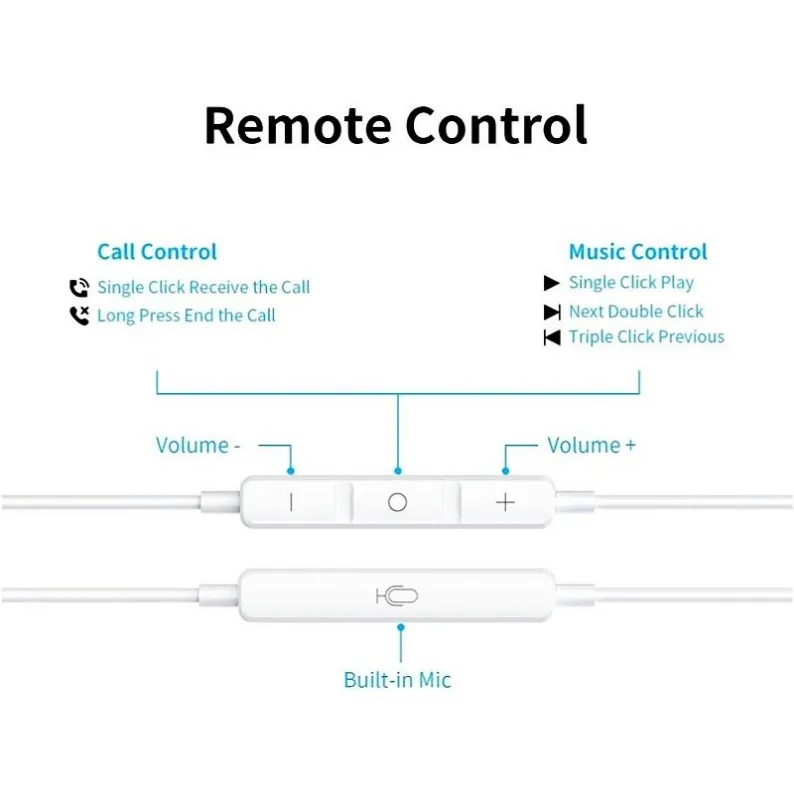
Press every button on the remote, one at a time, on each test phone. Play and pause should start and stop the music. Volume up and volume down should change the volume in clear steps. If the remote has a dedicated button for calls or voice assistant, press it during a call and check it answers and ends the call.
Write down what each button does on each phone. This matters because remote behaviour is not the same on every phone. A single press might pause music on a Samsung and do nothing on a Pixel. A long press might summon the voice assistant on one phone and skip the track on another. That variation is normal — what is not normal is a button that does nothing on every phone, a volume button that only works in one direction, or a remote that pauses music but cannot resume it.
Also check the feel of the buttons. They should click cleanly and spring back. A button that feels mushy, sticks down, or needs a hard press to work will get worse with use, and it is the first thing a customer notices when they pick the earphones up. Press each button twenty times in a row. If any button stops responding, double-triggers, or feels different from the others by the end of those twenty presses, note it. A remote that survives twenty presses in your office is not guaranteed to survive a year in a pocket, but a remote that fails twenty presses will definitely fail your customers.
5. Test the DAC Handshake Under Real Conditions: Calls, Apps and Switching
A sample that passes a music test can still fail in daily use, because daily use is not just music. Your customers switch between music, calls, videos and voice messages, sometimes several times in a minute. Test the sample the way they will use it.
Start music, then receive an incoming call. Answer it through the earphones, speak for thirty seconds, end the call, and check that the music resumes automatically. Then do it the other way round: start a call first, then open a video app. The audio should switch cleanly between the call and the video without going silent, without a burst of static, and without the earphones disconnecting and reconnecting.
Switch between two audio apps — for example, from a music app to a video app — and check the sound follows. Then plug the earphones out and back in during playback, and check they are recognised again within a few seconds. Each of these switches is a moment where the DAC handshake can fail, and a failure shows up as silence, a delay of several seconds before sound returns, or the phone falling back to its own speaker.
Test with the phone case on. A surprising number of sample failures come from something this simple: the USB-C plug is slightly too short, or the housing around it is too wide, so it cannot seat fully when the phone is in a case. Your customers use cases. If the sample only works with the case removed, that is a design problem, not a user error — and it will generate returns from customers who will never think to remove their case.
Finally, check battery drain. Play music through the sample for thirty minutes and note the phone's battery percentage before and after. A digital DAC earphone draws a small amount of power from the phone, and a poorly designed DAC chip can drain noticeably more than a good one. Some buying guides warn that certain models drain the battery, and a sample that eats several percent of battery in half an hour will draw complaints from customers who use earphones all day.
6. Test a Second Sample Unit, Not Just the First
Factories sometimes send their best unit as the sample. That is not a criticism — it is human nature, and it is also why a one-unit test is not enough. Ask for two or three sample units, and run the full checklist on each one.
If all three units behave the same way, you have a good read on what the bulk batch will be like. If one unit passes and another fails the same test — one mic works and the other does not, one remote clicks and the other sticks — you have learned something more valuable than a pass: the factory's quality is inconsistent, and the bulk batch will contain a mix of good and bad units. That is the moment to ask the factory about its quality control process, and to agree in writing on an inspection standard before production. Our pre-shipment inspection checklist explains what to check when the bulk goods are ready, but the time to discover inconsistency is at the sample stage, when fixing it costs a conversation instead of a container.
Keep the test record for every unit: phone models tested, what passed, what failed, and the date. Send a copy to the factory with your approval or your list of required fixes. A written test record does two things: it makes the factory take your findings seriously, and it gives you a reference if the bulk goods arrive different from the sample. If the bulk batch does not match the approved sample, that record is the evidence you need to ask for a replacement or a refund.
7. What to Do When a Sample Fails — and What a Good Factory Does Next
A failed sample is not the end of a supplier relationship. It is the beginning of a useful one, if the factory responds well. What matters is what happens next.
Send the factory a short, specific report: which test failed, on which phone model, and what exactly happened. "The microphone does not work on a Samsung Galaxy" is useful. "The sample is bad" is not. A good factory will ask for the phone model and the test conditions, check the problem on its own bench, and send a corrected sample with an explanation of what changed. A factory that argues, blames your phone, or offers a discount instead of a fix is telling you how it will handle bulk-order problems too.
Do not approve a bulk order on the basis of a promise to fix the problem during production. The fix has to exist in a physical sample you have tested yourself, on your own phones, using this checklist. That rule sounds strict, and it is — but it is cheaper than a thousand returned units.
When the corrected sample arrives, run the full checklist again from step one, on all the same phones. Do not skip the steps that passed last time. A change to the DAC chip or the mic wiring can affect the music, the remote and the call behaviour all at once, and a fix in one place can break something in another. Only when every step passes on every phone should you approve the order.
How HOEXI Samples Work for Type-C Earphone Buyers
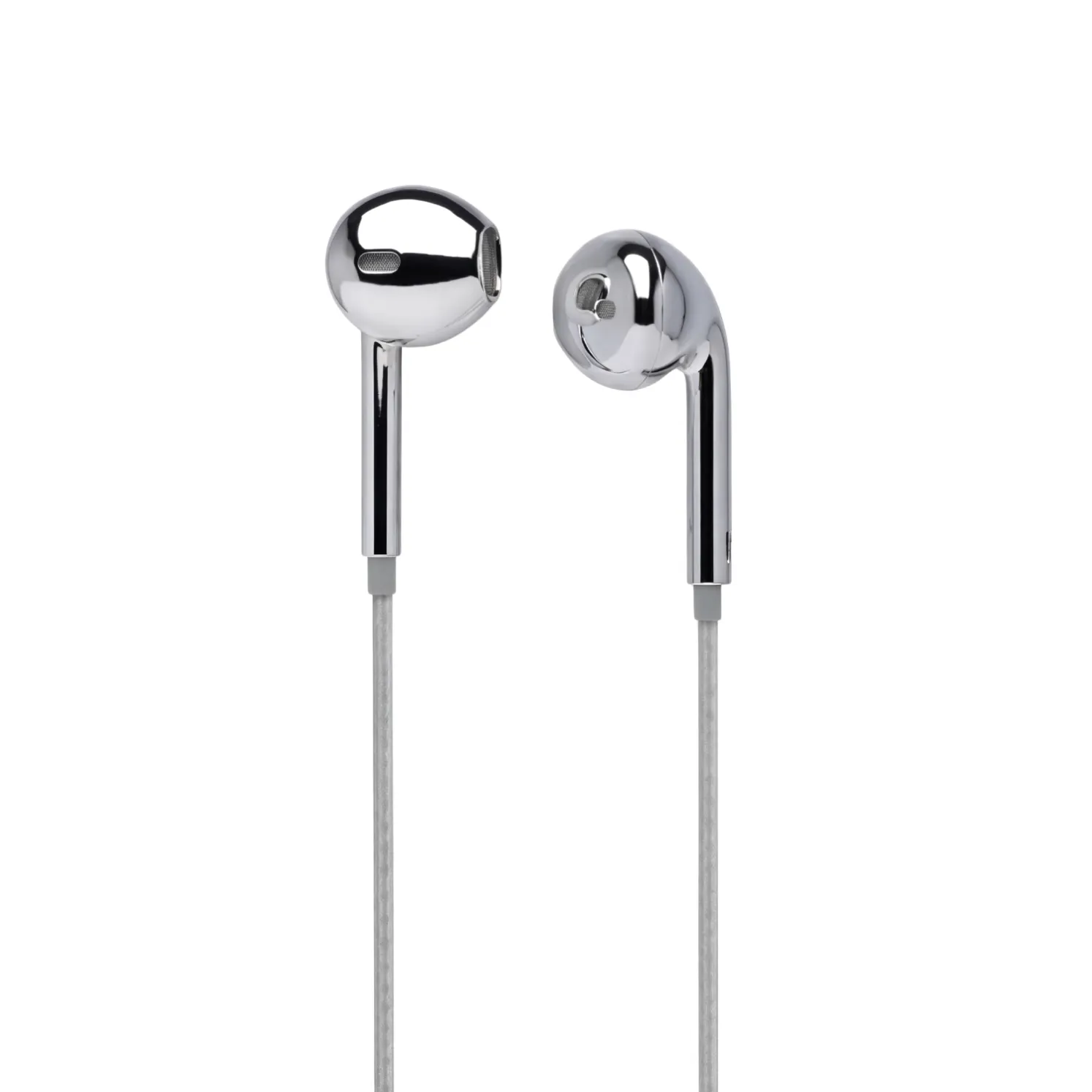
A sample process should be simple, and ours is. You tell us which model you want to test and which phones your customers use, and we send a physical sample you can run through this exact checklist. Our EM-F4C Type-C wired earphones are a digital DAC model, designed to work across Samsung, Pixel and USB-C iPhone, with an inline microphone and remote for calls and music control. Our EM-F3C half in-ear Type-C earphones offer the same Type-C design in a half in-ear shape with no ear tips, for customers who want one size that fits all.
Samples take 5–7 days, and standard products start at a 1 pc minimum order, with laser engraving from 5 pcs for your logo. Non-customised bulk orders ship in 3–7 days, and customised packaging is available from 500 pcs. If you want your logo on the sample, tell us when you ask — our OEM and ODM service covers logo engraving, printing and custom packaging, and a logo sample is the right way to check your branding on the real product before the bulk order.
Every order is checked before it ships, and our buyers rate us 4.9/5. If you are ready to test a sample, get a quote or message us on WhatsApp at +86 135 3021 9863, and tell us which phones your customers use — we will send the sample that matches them.
Get a Quote — tell us the model, the quantity and your customers' phone brands, and we will quote within 24 hours. WhatsApp: +86 135 3021 9863 — send us your target phone list and we will confirm which Type-C model fits before you order a sample.